Schedule Intelligence Platform

Every XER.
Every insight.

Parse every XER, simulate every risk, scrub every schedule, and roll it all up in one workspace your project controls, executive, and client teams actually share.
10K
Risk iterations
14+
Schedule health checks
<30s
XER parse
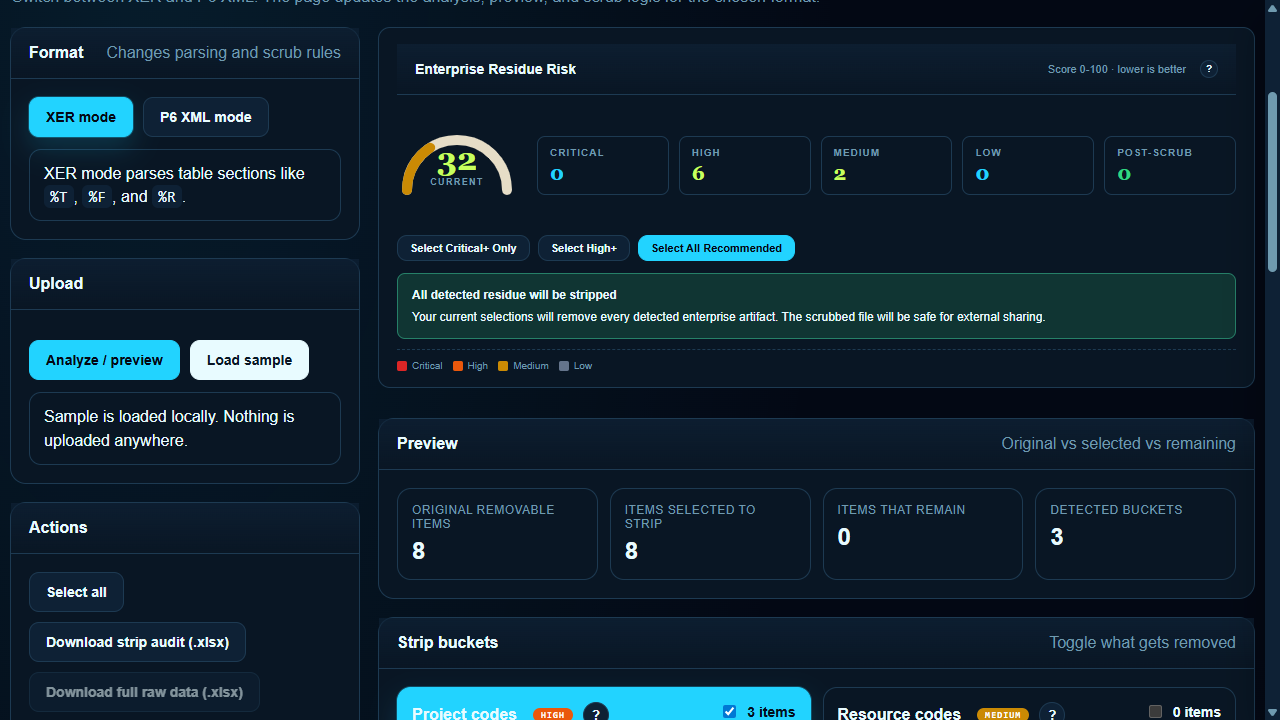
schedulytics.info / scrubber
XER/XML Scrubber
schedulytics.info / analytics
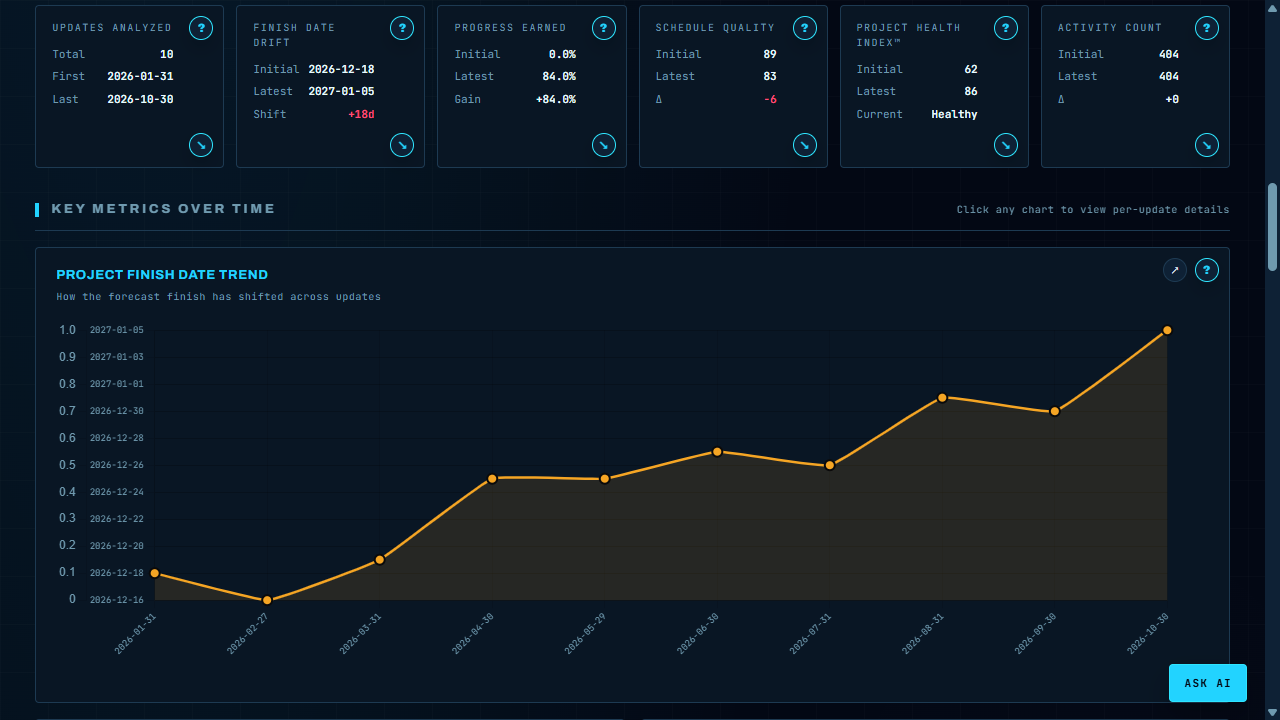
Analytics - Trends
schedulytics.info / analytics
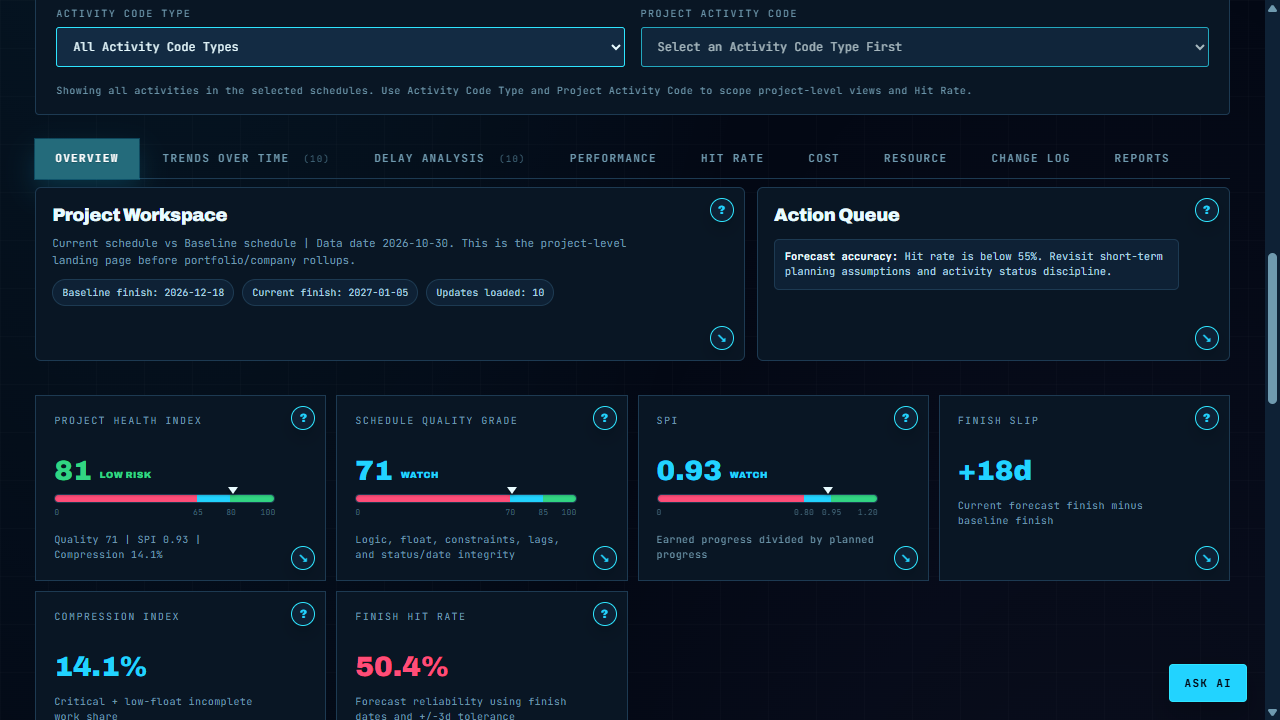
Analytics - Overview
Project health, action queue, and KPI cards from the full demo history.
Connected workspaces

One platform. Six core modules.

Every module reads the same XER. Every insight connects back to the same project. No re-importing, no copy-paste.

01
XER Analytics
● Live
Deep-dive schedule analytics from raw XER files. Trend every KPI from first upload to the latest update — automatically.
% Complete TrendSPI HistoryFloat ErosionCritical PathHealth IndexBaseline VarianceActivity CountCompression Score
14+
Health checks
<30s
Parse time
Updates tracked
02
Monte Carlo
● Live
Probabilistic risk without a separate tool. Edit activity-level inputs, run 10,000 iterations server-side, get P50/P80 forecasts instantly.
10K IterationsP50 ForecastP80 ForecastDuration RiskLogic RiskS-Curve OutputConfidence HistogramScenario Compare
10K
Iterations
P80
Confidence
2
Forecast outputs
03
XER.Gantt
● Live
A full interactive Gantt viewer built for XER — WBS hierarchy, baseline bars, critical path, and float bands visible at a glance.
WBS HierarchyBaseline BarsCritical PathFloat BandsPredecessor LinksActivity FilterDate Range ZoomColumn Config
WBS
Hierarchy
BL
Baseline compare
CP
Critical path
04
Summary Schedule
● Live
Build owner-ready summary schedule exhibits from project XER data or a clean canvas with phase lanes, milestone callouts, and export-ready layouts.
Canvas BuilderXER DraftingMilestonesPhase LanesDependency ArrowsStarter LayoutsPDF / PNGPPT Export
XER
Draft source
PPT
Export
5
Starter layouts
05
XER/XML Scrubber
● Live
Strip enterprise residue before sharing with clients or subs. Configurable field-level rules remove cost, resource, and code data without touching schedule logic.
Resource StripCost StripCode CleanupCustom RulesBatch XERBatch XMLAudit LogSafe Export
XER
Format
XML
Format
0
Data leaks
06
Weekly Work Plan
○ Beta
Turn parsed project schedules into weekly commitments, email update requests, scheduler approvals, and P6-ready status exports.
Parsed SchedulesActivity CodesEmail RequestsRemaining DurationActual StartsActual FinishesApproval QueueP6 XLS Export
No
% complete
P6
Export
Email
Updates
Getting started

From raw XER to full insight in three steps.

01
Upload XER files
Drag any Primavera P6 XER or XML export into the centralized upload center. Supports multiple baselines per project.
XERXMLBatch upload
02
Parse & score
The server-side engine parses your schedule, scores 14+ health checks, and stores metrics — no raw data touches the client.
Health scoreSPI trendFloat erosion
03
Analyze & share
Explore trend charts, run Monte Carlo simulations, view Gantt, and share scrubbed schedules — all in one workspace.
DashboardsMonte CarloExports
Deeper capabilities

Built for project controls. Built for everyone else too.

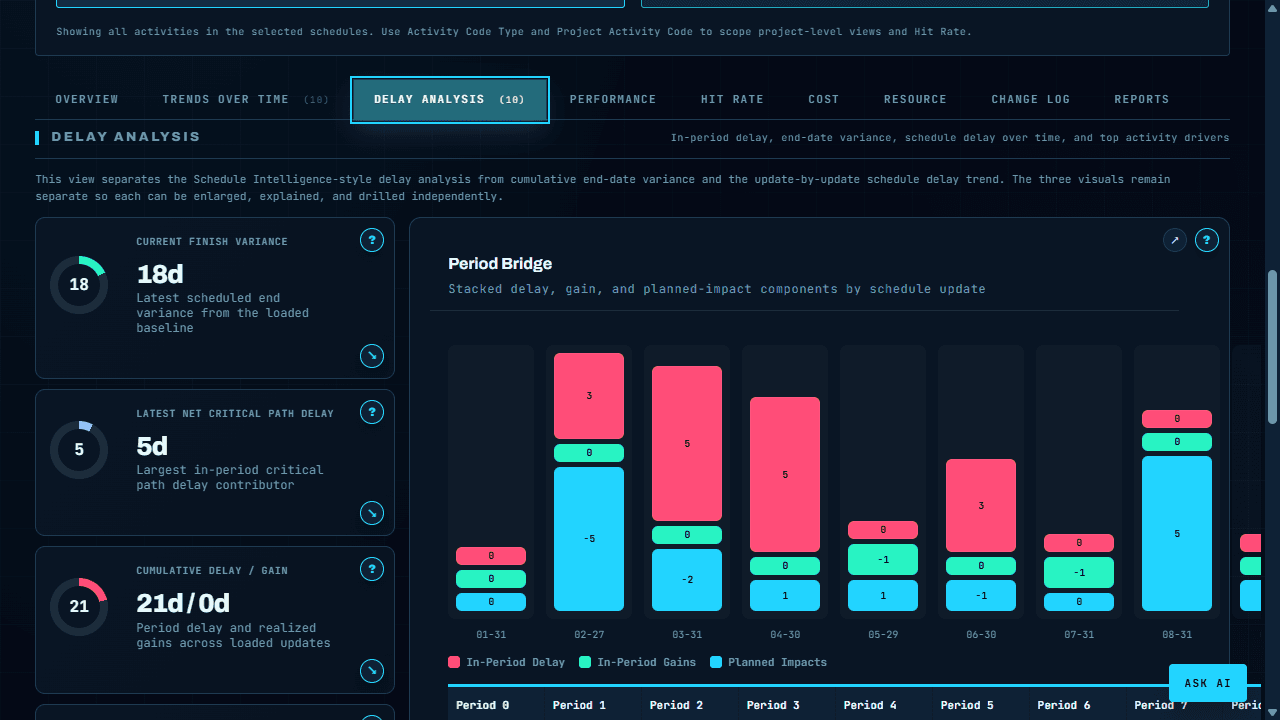
XER Analytics

Every KPI. Every update. Every trend.

The analytics engine parses your full schedule history. Each XER upload becomes a data point, so teams can watch progress, SPI, float erosion, and delay movement across time.

  • Ten-schedule demo history loaded into one analysis
  • Delay bridge, trends, and performance drilldowns
  • Activity count and critical path tracking
  • Schedule health, quality, and compression views
XER Analytics
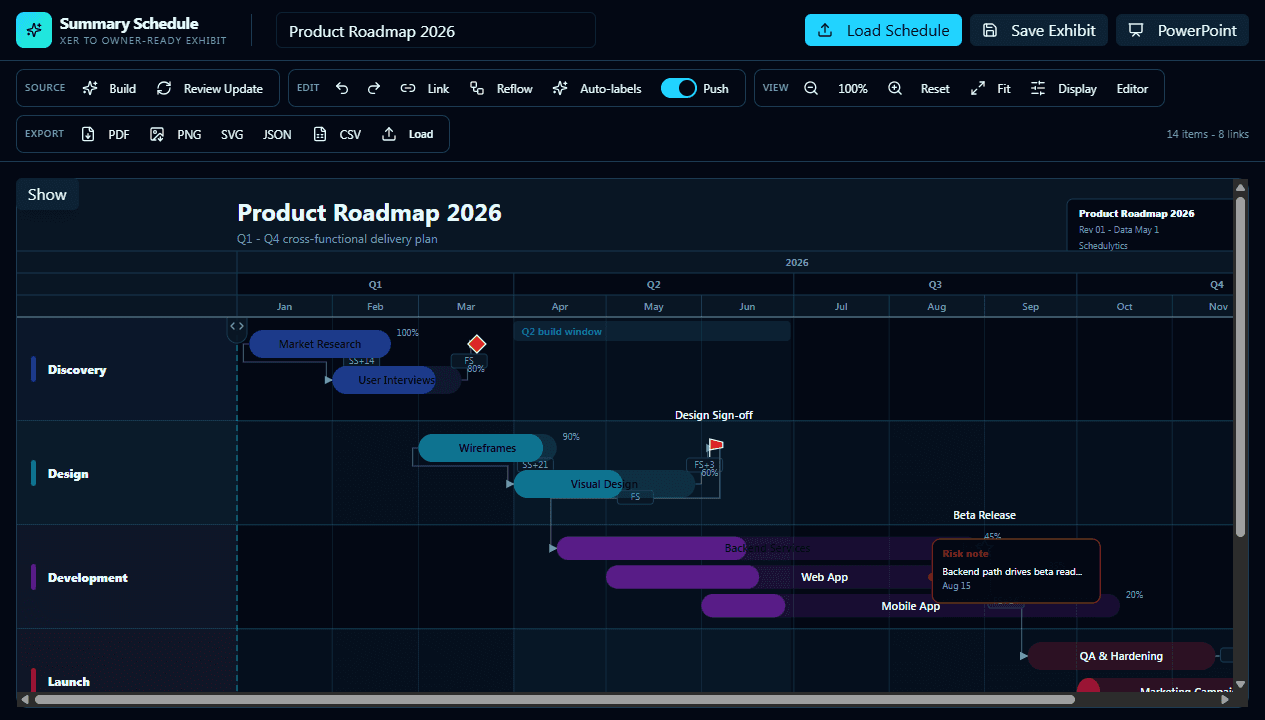
Summary Schedule

Turn dense CPM detail into a clean exhibit.

Build owner-ready summary schedules from schedule data, then tune the canvas, labels, lanes, milestones, and export format without leaving the workspace.

  • Interactive executive summary canvas
  • Starter layouts and schedule loading workflow
  • Auto-label cleanup for presentation output
  • PDF, PNG, SVG, JSON, and CSV export paths
Summary Schedule
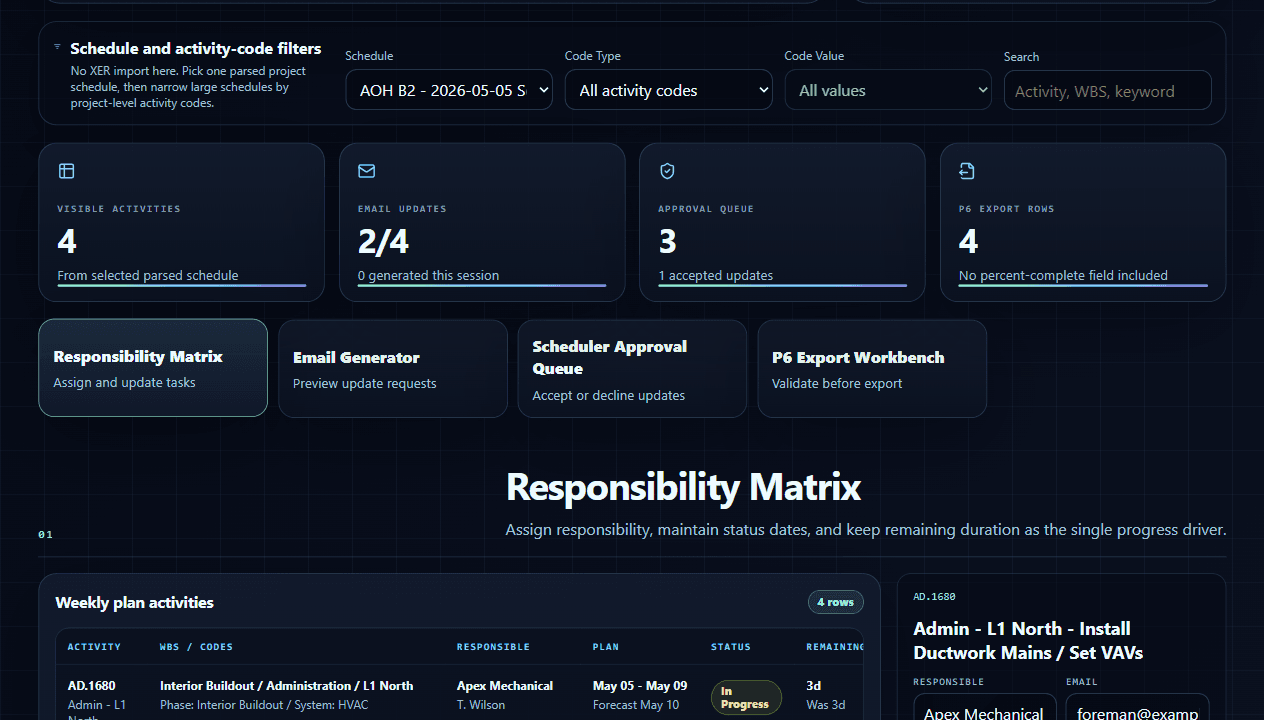
Weekly Work Plan

Turn CPM activities into field-ready weekly updates.

Use the parsed project schedule to create a weekly plan, filter large activity sets by P6 activity codes, generate email requests, review responses, and export accepted updates back toward P6.

  • Project-backed schedule selector with no re-import step
  • Activity-code filters for large schedules
  • Email request generator for responsible parties
  • Remaining-duration updates with scheduler approval
Weekly Work Plan
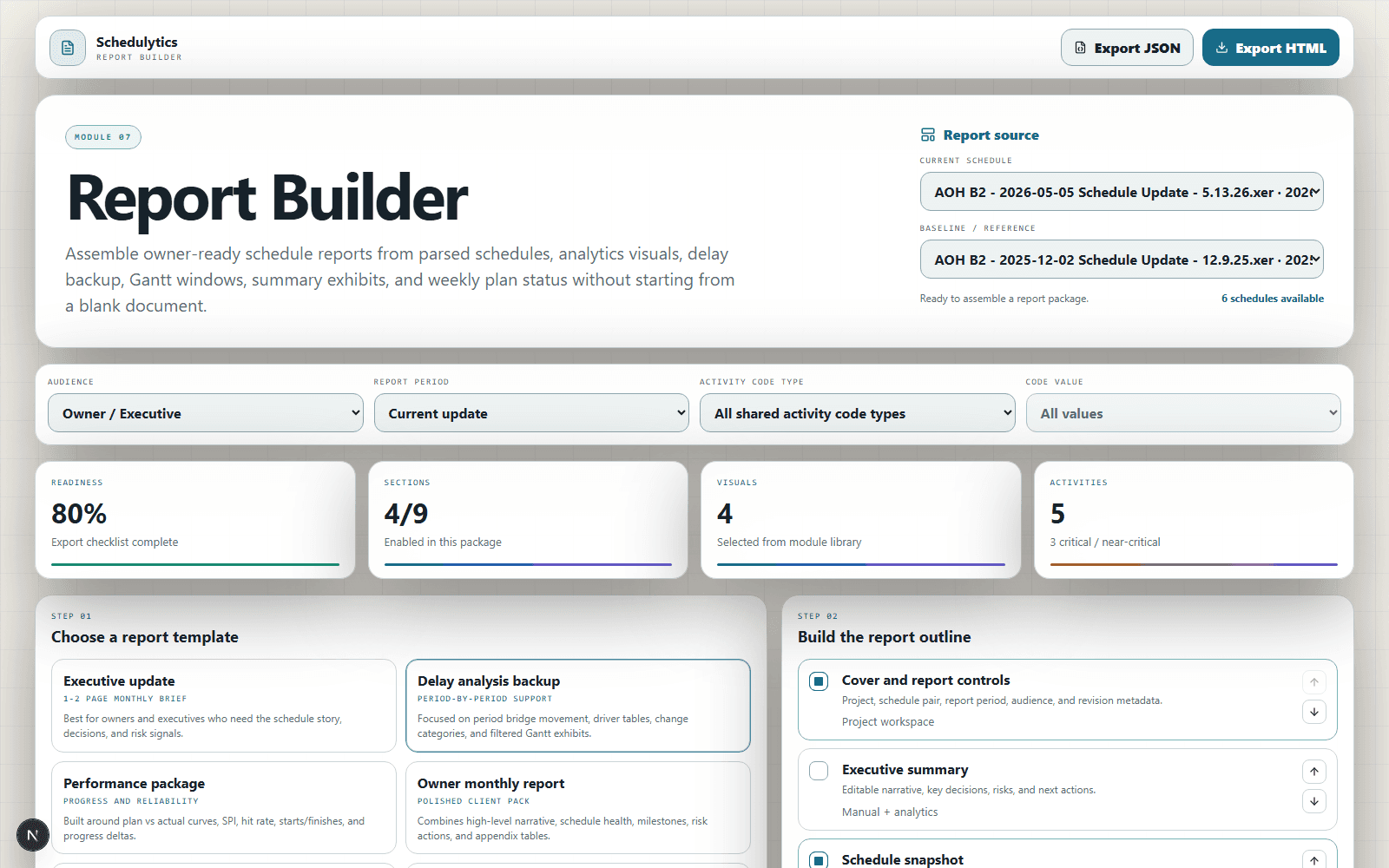
Reporting Workspace

Package the schedule story without rebuilding it by hand.

Choose a report template, assemble sections, pull saved views from the schedule modules, draft the narrative, and export a browser-printable package tied to the same parsed schedules.

  • Executive, delay, performance, owner, weekly, and custom templates
  • Toggleable report outline with reorderable sections
  • Visual library for KPI cards, period bridges, S-curves, and Gantt windows
  • HTML and JSON package exports
Reporting Workspace
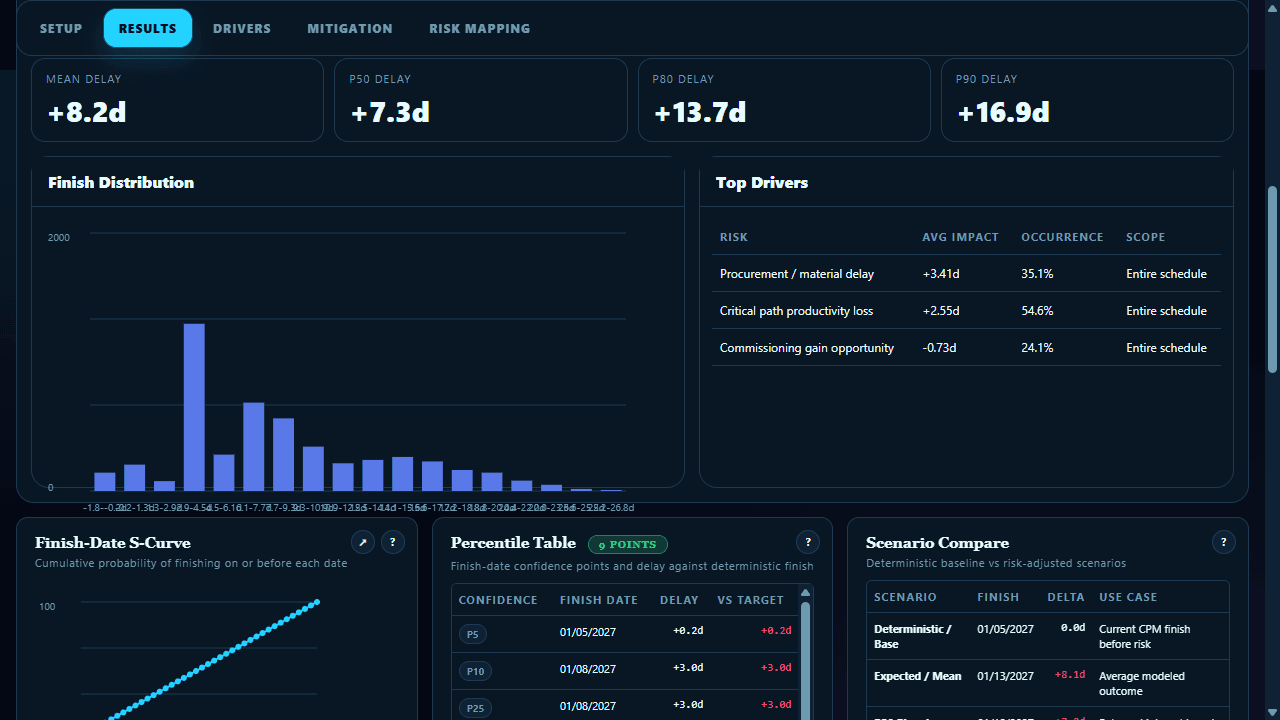
Monte Carlo

Risk numbers your client will actually believe.

Feed in activity-level risk estimates, run 10,000 iterations server-side, and get P50/P80 completion dates with a confidence histogram without a separate risk tool.

  • 10,000 simulation iterations
  • Editable duration and logic risk inputs
  • P50 and P80 date outputs
  • Visual S-curve and histogram
Monte Carlo
By the numbers

Serious analytics. Serious throughput.

10K+
Risk iterations
Per Monte Carlo simulation run
14+
Health checks
Schedule quality metrics per XER
<30s
XER parse time
Full schedule parsed, stored, scored
1
Base theme
Unified cyber palette across every workspace
Who it's for

One workspace. Every stakeholder.

Project Controls
Upload XER files, track schedule health over time, and generate risk-adjusted completion forecasts without leaving the browser.
Executives
Company-level and executive dashboards roll up project KPIs across the portfolio - no individual files to open.
Client Teams
Share scrubbed XER exports and read-only dashboard views. No proprietary data leaves unless you explicitly export it.
Ready to start?

Open the demo.
No setup required.

Explore the full analytics suite, Summary Schedule, Monte Carlo lab, Gantt viewer, Weekly Work Plan, and scrubber - all pre-loaded with sample project data.